
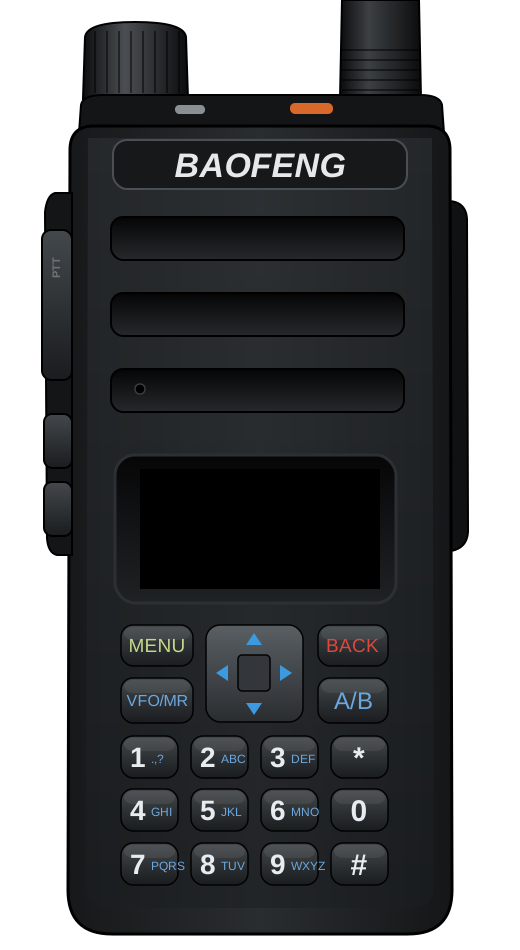
Baofeng DM-1801 Pro
Supported
FM with CTCSS/DCS, DMR voice with the radio's own codec, DMR data and text, the hotspot, single frequency repeating, the PPP network services and each split duplex half work on air. Open: VHF transmit and VOX.
- Also sold as
- Baofeng DM-1801
- Type
- Handheld
- Bands
- 136-174 / 400-470 MHz · Air band AM 108-137 MHz · Broadcast FM 87-108 MHz
- Power
- L / M / H
- Processor
- HR_C7000
- Screen
- monochrome, 128 × 64
- Voltage reading
- Battery
- Clock kept when off
- Yes (backup cell)
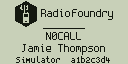
Screens
Features
| Feature | Full | Amateur | Commercial |
|---|---|---|---|
| Radio and voice | |||
Analog FM receive and transmitFM | included | included | included |
CTCSS / DCS encode and decodeSUBTONE | included | included | included |
DMR Tier II voice (modem, call stack, AMBE FEC, vocoder)DMR | included | included | included |
Basic privacy (Motorola / Anytone BP)DMR_PRIVACY | included | left out | included |
Talker alias receive and sendDMR_TALKER_ALIAS | included | included | included |
ETSI GPS Info in the embedded LCDMR_GPS | included | included | included |
CSBK signaling: call alert, radio checkDMR_SIGNALING | included | included | included |
DMR emergency (alarm, emergency call, hot mic)DMR_EMERGENCY | included | included | included |
Repeater roamingDMR_ROAMING | included | included | included |
VFO (hand-tuned frequency)VFO | included | included | included |
FM VFOVFO_FM | included | included | included |
DMR VFO (color code, slot, talk target typed in; mode change FM / DMR)VFO_DMR | included | included | included |
Scan, band scan, dual watch, nuisance deleteSCAN | included | included | included |
Dual watch: A and B in any zone or the VFO, PTT on the selected one, its screens, talk backDUAL_WATCH | included | included | included |
Beeps and alert tonesBEEP | included | included | included |
FM TX tones: roger beep, 1750 Hz burstFM_TX_TONES | included | included | included |
DTMF transmit from the keysDTMF | included | included | included |
FM VOXVOX | included | included | included |
Receiver battery saverBATTERY_SAVE | included | included | included |
Vibration alerts (Settings > Sound > Vibrate)VIBRATE | included | included | included |
Air band AM receive (108-137 MHz)AM_RX | included | included | included |
Broadcast FM receiverBCAST_FM | included | included | included |
Side key assignment (Settings > Keys, codeplug)KEY_ASSIGN | included | included | included |
Channels list: every channel by number, a channel's settings (hub 5)CHANNEL_LIST | included | included | included |
Channel editor: edit a channel, New channel from current settings, text entryCHANNEL_EDIT | included | included | included |
| DMR data | |||
Text messages (ETSI IP text by default)DMR_SMS | included | included | included |
Motorola TMS text formatDMR_TMS | included | left out | included |
ARS registrationDMR_ARS | included | left out | included |
LRRP locationDMR_LRRP | included | left out | included |
Compressed UDP/IP headers on transmit (SAP 3)DMR_UDP_COMPRESS | included | included | included |
Confirmed packet dataDMR_CONFIRMED | included | included | included |
Single frequency repeater (MMDVM SFR)SFR | included | included | included |
APRS: AFSK positions, status, messages; DMR positions; KISS TNCAPRS | included | included | left out |
APRS receive: demodulator, station list, digipeaterAPRS_RX | included | included | left out |
APRS iGate rules (with tools/aprs_gate.py)APRS_IGATE | included | included | left out |
| Network (USB network adapter and IP over DMR) | |||
IP over DMR gatewayDMR_IP_GATEWAY | included | included | included |
Minimal TCPNET_TCP | included | included | included |
KISS over TCP, port 8001NET_KISS | included | included | left out |
HTTP status page and JSON, port 80NET_HTTP | included | included | included |
HTTP static files stored and served gzip compressedNET_HTTP_GZIP | included | included | included |
rigctld, port 4532NET_RIGCTL | included | included | included |
APRS-IS clientNET_APRSIS | included | included | left out |
Audio linking (USRP over UDP, port 34001)NET_USRP | included | included | included |
mDNS / DNS-SD (rfoundry-<id>.local)MDNS | included | included | included |
TFTP codeplug read / writeTFTP | included | included | included |
DMR ID database over TFTP (iddb.bin, combined codeplug.bin)TFTP_IDDB | included | included | included |
Control station mode (boot as network, PC answers data, fixed link)DMR_CONTROL_STATION | included | left out | included |
SNMP v2c agent and traps (USB and over the air)SNMP | included | left out | included |
PPP on the serial host port (IPv4 into the gateway)NET_PPP | included | included | included |
| Host link and USB | |||
Task stacks in the debug link viewTASK_STACKS | included | included | included |
Host link: hotspot, CPS, debug link on the host portHOSTLINK | included | included | included |
MMDVM hotspotHOTSPOT | included | included | left out |
Split duplex repeater (two radios, one duplex modem)HOTSPOT_SPLIT | included | included | left out |
Debug linkDEBUGLINK | included | included | included |
Open-firmware CPS protocol (qdmr)CPS_OPENFW | included | included | included |
Fast codeplug protocol (debug link CODEPLUG)CPS_FAST | included | included | included |
Loader hand-over (stub entry, command 0x1A)STUB_ENTRY | included | included | included |
Crash logCRASH_LOG | included | included | included |
Crash log screenCRASH_SCREEN | included | included | included |
Crash report over DMRCRASH_REPORT | included | included | included |
Hardware watchdogWATCHDOG | included | included | included |
Fault trace on the host UARTFAULT_TRACE | included | included | included |
| User interface | |||
Diagnostics pageDIAG | included | included | included |
Anti-aliased fontsFONT_AA | left out | left out | left out |
Larger textFONT_BIG | left out | left out | left out |
Settings menu on the radioUI_SETTINGS | included | included | included |
● included · ○ left out
Not available on this radio: USB device, USB network adapter (CDC-NCM), 16x32 font, Color screen settings (theme, highlight color, filled status bar), GPS receiver: the module driver and its NMEA input (Settings > Location > GPS), Settings and codeplug storage on SPI NAND
Entering Update Mode
- Connect the programming cable to the radio and to the computer.
- Open the radio programming utility and choose the cable. A radio that already runs RadioFoundry is detected without holding keys or turning it off.
- Otherwise, turn the radio off and on again when prompted. Do not hold any keys. The screen stays dark and the LED on top blinks orange while the radio is in update mode.